The room plan, finally under control
Seating plans, sorted.
Import the guest list, shape the room, lock the placements that matter, and fill every table from one calm workspace.
No account needed for the demo.
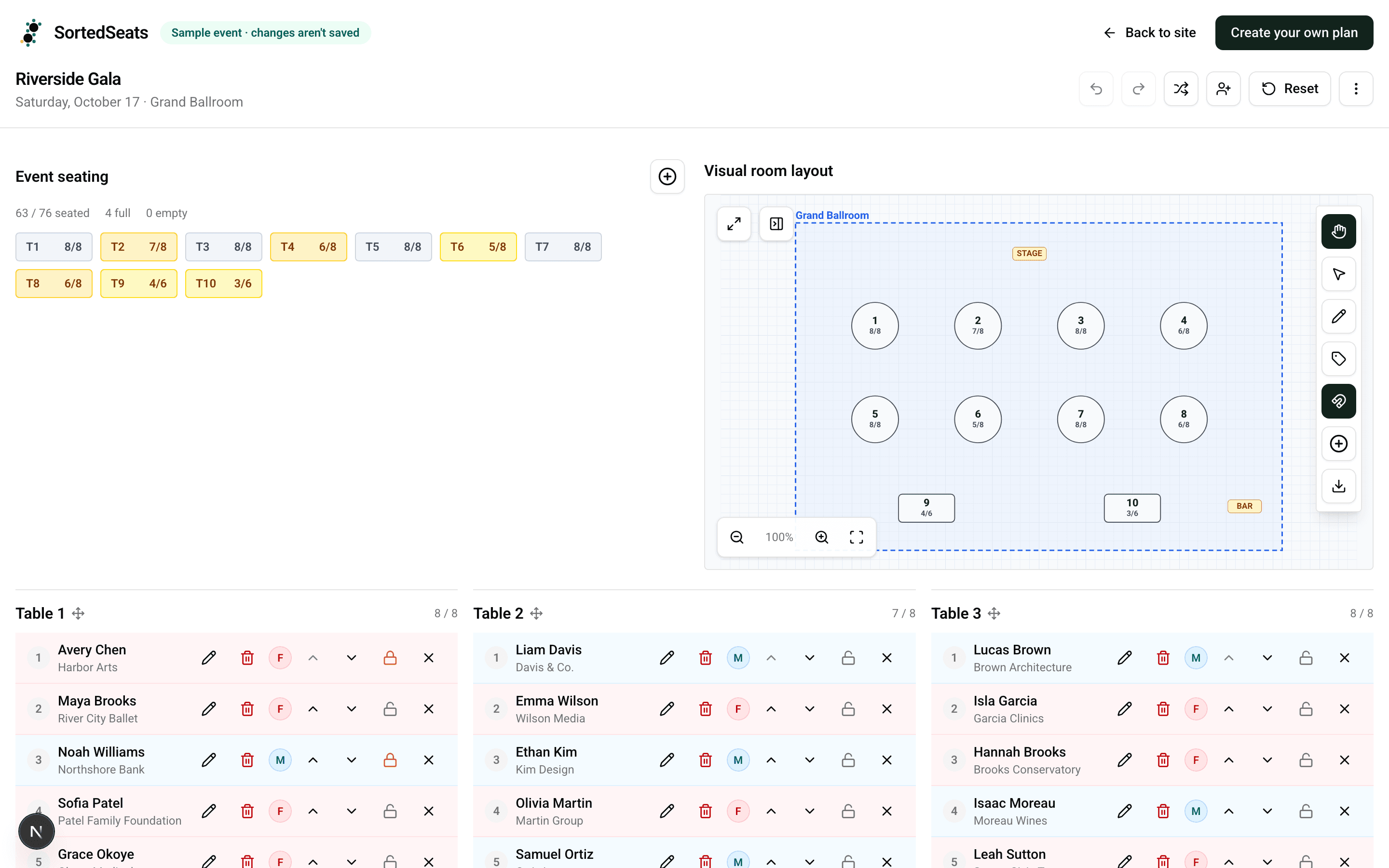
35-second walkthrough
The seating workspace, in motion.
Silent · 35 seconds
Four steps. One source of truth.
Guest details, assignments, and the physical room stay together—even when the plan changes the night before.
- 01
Bring in the guest list
Add guests one at a time or import a spreadsheet with names, emails, ticket types, and dietary notes.
- 02
Build the room
Drop in round and long tables, set capacities, and place tables, labels, and walls on a scaled canvas.
- 03
Seat everyone
Drag guests between tables, lock the placements that must not move, and fill the rest in one click.
- 04
Hand off the plan
Export a seating CSV and print a room layout the venue team can use on the floor.
Can I import from Excel?+
Yes. Save your Excel guest list as a CSV, then upload it. SortedSeats helps map your columns and flags rows that need attention before anything is imported.
Can my team edit at the same time?+
Not yet. Each plan currently has one owner, so teammates should coordinate edits. Shared, simultaneous editing is on our roadmap.
Can I print for the venue?+
Yes. Export a clean, printable room layout for setup crews, plus table lists and place cards for service and check-in.
What happens to my data?+
Your event and guest data stays private to your account and is used only to provide the service. You can delete your account and its event data from account settings.
Make the seating plan the calm part.
Explore the sample event now, then build your real room when you’re ready.